User Guide
GradeBookPlus User Guide
GradeBookPlus is a desktop gradebook application for managing courses, students, assessments, and grades. It is optimized for use via a Command Line Interface while still providing a Graphical User Interface for viewing data clearly.
If you prefer typing commands quickly, GradeBookPlus helps you manage class records faster than clicking through menus.
- GradeBookPlus User Guide
Quick start
-
Ensure you have Java 17 or above installed on your computer.
-
Download the latest
.jarfile from your team’s release page. -
Copy the
.jarfile into the folder you want to use as the app’s home folder. -
Open a terminal in that folder and run:
java -jar gradebookplus.jar -
Wait a few seconds for the application window to appear.
-
Type commands into the command box and press Enter to execute them.
Some example commands you can try:
addcourse c/CS2103Taddstudent c/CS2103T id/A0123456X n/Alex Yeoh e/alex@example.comaddassessment c/CS2103T an/Quiz 1 m/10addgrade c/CS2103T id/A0123456X as/1 g/8listgrades c/CS2103T
Features
Notes about the command format:
-
Words in
UPPER_CASEare parameters to be supplied by the user.
e.g. inaddcourse c/COURSE_CODE,COURSE_CODEis a parameter. -
Items in square brackets are optional.
e.g.addstudent c/COURSE_CODE id/STUDENT_ID n/NAME [e/EMAIL] -
Parameters can be in any order unless stated otherwise.
-
Course codes are case-insensitive.
e.g.c/cs2103tandc/CS2103Tare treated as the same course. -
Assessment indexes refer to the indexes shown in the displayed assessment list for that course.
Viewing help: help
Shows the help window.
Format: help
Course management
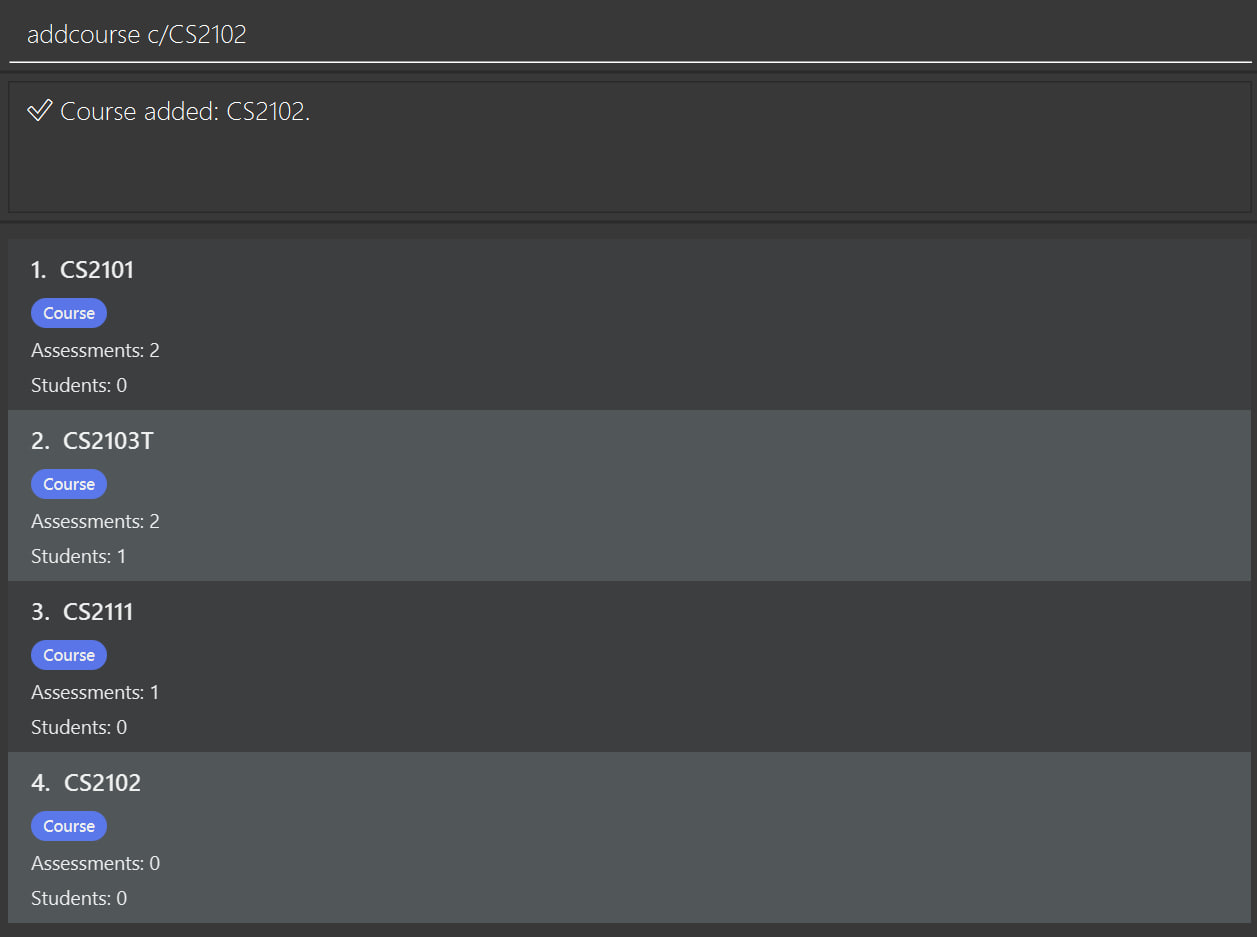
Adding a course: addcourse
Adds one or more courses to the database.
Format: addcourse c/COURSE_CODE[,COURSE_CODE,...]
Examples:
addcourse c/CS2103Taddcourse c/CS2103T, CS2101, CS2102
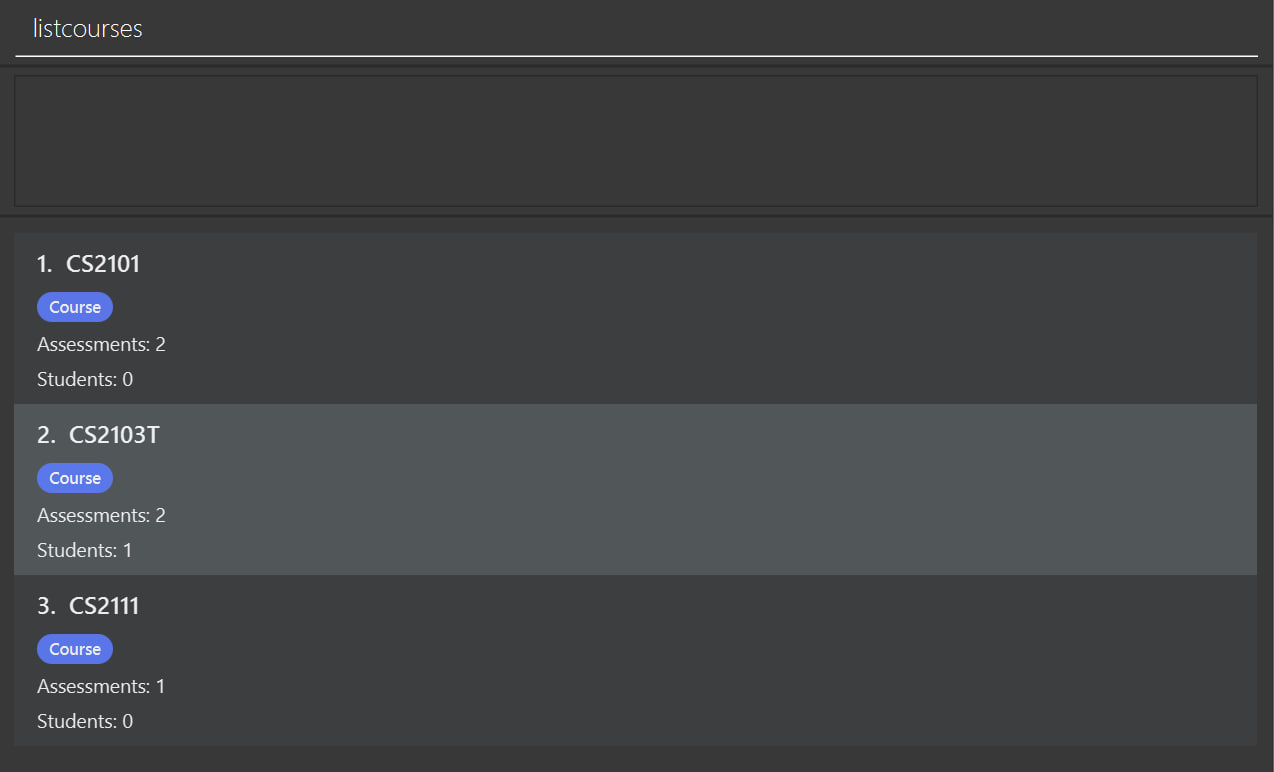
Listing all courses: listcourses
Lists all existing courses.
Format: listcourses
Examples:
listcourses
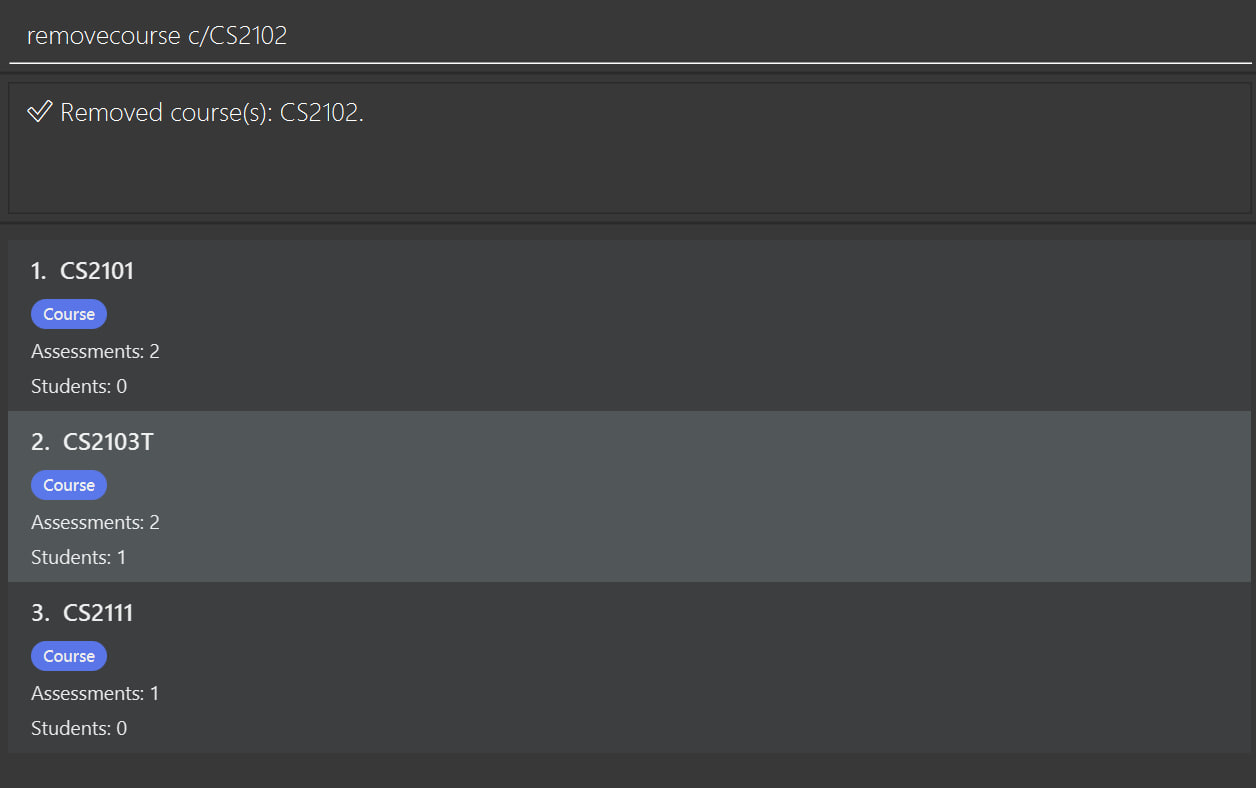
Removing a course: removecourse
Removes one or more courses using course code.
Format: removecourse c/COURSE_CODE[,COURSE_CODE,...]
Example:
removecourse c/CS2103Tremovecourse c/CS2103T, cs2102
Removing a course also removes all students and assessments associated with that course.
Student management
Adding a student to a course: addstudent
Adds a student to a course roster.
Listing students in a course: liststudents
Removing a student from a course: removestudent
Assessment management
Adding an assessment: addassessment
Adds an assessment to a course.
Format: addassessment c/COURSE_CODE an/ASSESSMENT_NAME m/MAX_SCORE
Examples:
addassessment c/CS2103T an/Quiz 1 m/10addassessment c/CS2103T an/Final Exam m/100
Listing assessments: listassessments
Lists all assessments, optionally filtered by course.
Format:
listassessmentslistassessments c/COURSE_CODE
Examples:
listassessmentslistassessments c/CS2103T
Removing an assessment: removeassessment
Removes an assessment from a course using its displayed index.
Format: removeassessment c/COURSE_CODE as/ASSESSMENT_INDEX
Example:
removeassessment c/CS2103T as/1
Removing an assessment also removes all grades associated with that assessment.
Grade management
Adding a grade: addgrade
Adds a grade for a student in a course assessment.
Format: addgrade c/COURSE_CODE id/STUDENT_ID as/ASSESSMENT_INDEX g/SCORE
Examples:
addgrade c/CS2103T id/A0123456X as/1 g/8addgrade c/CS2103T id/A0123456X as/2 g/85
The student must already be enrolled in the course.
The score cannot exceed the assessment’s max score.
Removing a grade: removegrade
Removes a grade for a student from a course assessment.
Format: removegrade c/COURSE_CODE id/STUDENT_ID as/ASSESSMENT_INDEX
Example:
removegrade c/CS2103T id/A0123456X as/1
Listing grades: listgrades
Lists grades by course, by assessment within a course, or by student ID.
Format:
listgrades c/COURSE_CODElistgrades c/COURSE_CODE as/ASSESSMENT_INDEXlistgrades id/STUDENT_ID
Examples:
listgrades c/CS2103Tlistgrades c/CS2103T as/1listgrades id/A0123456X
Other commands
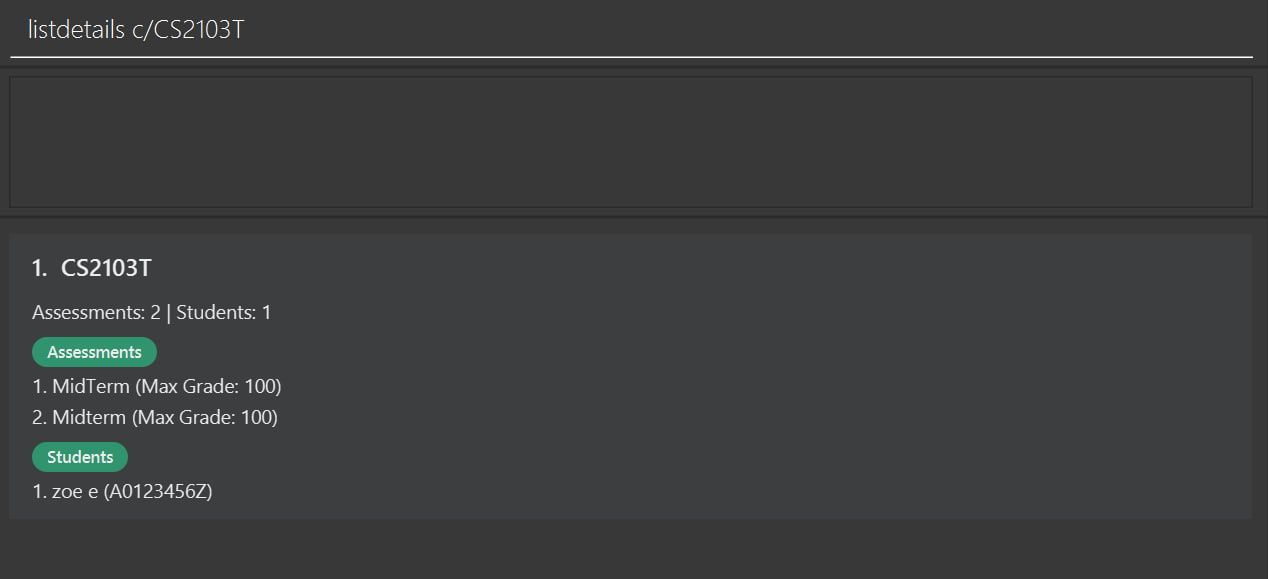
Viewing detailed course information: listdetails
Displays assessments and students information for a course.
Format: listdetails c/COURSE_CODE
Example:
listdetails c/CS2103T
Exporting a course: exportcourse
Exports course-related information.
Format: exportcourse c/COURSE_CODE
Example:
exportcourse c/CS2103T
Viewing all main lists: viewall
Returns the app to the default overall view.
Format: viewall
Exiting the program: exit
Exits the application.
Format: exit
FAQ
Q: How do I move my data to another computer?
A: Copy the data file from the old computer into the data folder used by GradeBookPlus on the new computer.
Q: Where is my data stored?
A: Data is stored automatically in the app’s data folder as a JSON file.
Known issues
- If you move the application between multiple monitors, the window may reopen off-screen. Delete
preferences.jsonand relaunch the app. - If the Help window is minimized, reopening help may not restore it automatically. Restore it manually.
Command summary
| Action | Format |
|---|---|
| Add course | addcourse c/COURSE_CODE[,COURSE_CODE]... |
| List courses | listcourses |
| Remove course | removecourse c/COURSE_CODE[,COURSE_CODE]... |
| Add student | addstudent c/COURSE_CODE id/STUDENT_ID n/NAME [e/EMAIL] |
| List students | liststudents c/COURSE_CODE |
| Remove student | removestudent c/COURSE_CODE id/STUDENT_ID |
| Add assessment | addassessment c/COURSE_CODE an/ASSESSMENT_NAME m/MAX_SCORE |
| List assessments | listassessments [c/COURSE_CODE] |
| Remove assessment | removeassessment c/COURSE_CODE as/ASSESSMENT_INDEX |
| Add grade | addgrade c/COURSE_CODE id/STUDENT_ID as/ASSESSMENT_INDEX g/SCORE |
| Remove grade | removegrade c/COURSE_CODE id/STUDENT_ID as/ASSESSMENT_INDEX |
| List grades | listgrades c/COURSE_CODE / listgrades c/COURSE_CODE as/ASSESSMENT_INDEX / listgrades id/STUDENT_ID |
| List details | listdetails c/COURSE_CODE |
| Export course | exportcourse c/COURSE_CODE |
| View all | viewall |
| Help | help |
| Exit | exit |